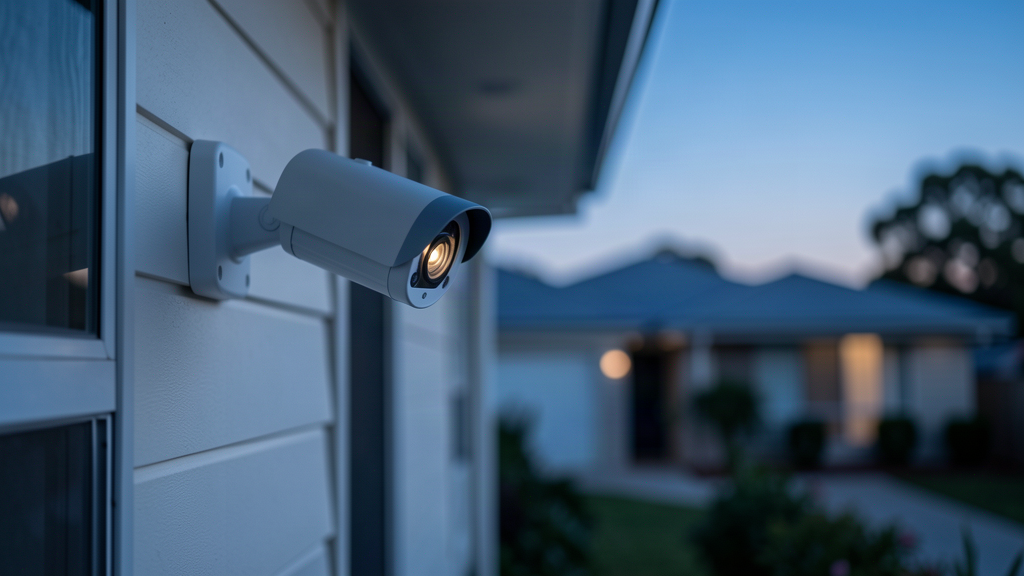
A camera system is supposed to reduce uncertainty: who came through the roller door, what happened at the till, whether the car park incident is on tape. Too many Sydney installs do the opposite. Footage is unusable at night. The NVR password is still `admin`. Remote viewing works through a consumer app nobody can secure. The cameras sit on the same network as finance files.
Business security cameras in Sydney are not a catalogue purchase. They're a design problem spanning physical coverage, storage, privacy, and IT security. This guide walks commercial operators — retail, office, warehouse, light industrial — through a specification you can take to a site survey without getting sold a box of regrets.
What you're buying (beyond "some cameras")
A commercial-grade system typically includes:
| Layer | Components |
|---|---|
| Capture | IP cameras (fixed, varifocal, turret/dome, bullet), lenses suited to distance and light |
| Power & transport | PoE switching, structured cabling, surge considerations |
| Record | NVR with surveillance-grade drives, and/or approved cloud/hybrid retention |
| View | Secure client apps, role-based user accounts, export workflow |
| Protect | Network segregation, hardened credentials, firmware process, physical NVR security |
| Operate | Retention policy, health monitoring, maintenance, incident export playbook |
If a quote only lists camera count and "app included," it's incomplete. See how commercial CCTV installation is scoped as a full design-and-handover job, not a box drop.
Design first: coverage zones that match the business
Start with events you must reconstruct, not with a product brand.
Common Sydney commercial zones
- Entries and reception — identity-grade faces at doorways (lighting matters more than megapixel bragging)
- Retail floor and POS — angles that capture transaction context without blocking operations
- Stock rooms and loading docks — wide + targeted views; plate capture if vehicles matter
- Car parks and perimeter — night performance, overlap, vandal resistance
- Server/comms rooms and cash offices — higher sensitivity areas, tighter access to live view
- Yard / waste / side alleys — the paths thieves actually use
Site factors that change the design
- Glass atriums and west-facing glare
- High ceilings in warehouses (lens choice beats "just buy 4K")
- Roller doors and forklift traffic (mount height, housing)
- Strata rules and landlord approvals in CBD towers
- Existing cable paths vs new fibre/copper runs between buildings
Rule: walk the site at the worst lighting time you operate. Daytime demos hide night failures.
IP cameras, NVR, cloud: choose on purpose
Why IP/PoE is the default for new commercial work
Modern commercial installs generally favour IP cameras on Power over Ethernet:
- Higher resolution options and analytics-ready streams
- Cleaner cabling (power + data)
- Easier future adds on a proper switch design
- Better alignment with IT-managed networks
Analogue/DVR gear still exists in legacy sites; treat major refreshes as a chance to exit coax dead-ends unless there's a constrained reason to hybridise.
NVR vs cloud vs hybrid
| Model | Strengths | Watch-outs |
|---|---|---|
| On-site NVR | Retention control, predictable cost at scale, data stays on premise | Needs physical security, drive health, backup/export plan |
| Cloud-first | Easy multi-site viewing, less local hardware | Ongoing licence cost, uplink dependency, data residency questions |
| Hybrid | Local record + offsite critical clips/backup | More moving parts; needs clear ownership |
For many Sydney SMBs, NVR primary + careful remote access remains the practical backbone, with cloud features used deliberately — not as a substitute for design. Our AI-powered security cameras are built for exactly this IP/NVR model.
Retention, resolution, and "will this hold up when we need it?"
More megapixels are useless if you keep two days of footage or crush the stream to save disk.
Specify in writing:
- Retention target (e.g. 30 / 60 / 90 days) — driven by risk, insurer expectations, and any sector rules
- Recording mode — continuous vs motion vs schedule per camera
- Frame rate and resolution per zone — entry faces differ from a car park overview
- Export format and chain-of-custody habit — who can export, how it's logged
- Drive type — surveillance-rated storage, RAID where appropriate, spare capacity headroom
Validate retention after install. Don't accept "it should be 30 days." Review actual NVR estimates under real motion load.
Licensed venues and other regulated environments can have specific camera and retention obligations — confirm with your compliance adviser for your industry. Don't assume a generic office design meets a specialised licence condition.
Remote access: convenient is not the same as safe
Owners want phone live-view. Attackers want that too.
Secure remote viewing baseline
- Unique accounts per person (no shared "shop" login)
- Strong passwords plus MFA on any cloud/app portal that supports it
- Disable default vendor passwords on day one
- Prefer hardened remote methods over "expose NVR ports to the internet"
- Turn off unused P2P/share features if you don't need them
- Firmware update process with someone accountable
- Revoke access the day a manager leaves
Consumer-grade "scan the QR and you're in" setups are fine for a home driveway. They're a liability on a business that also runs Microsoft 365 and customer data on the same property network.
Recent years have repeatedly shown that DVR/NVR and camera fleets with weak auth, default credentials, or exposed remote services become easy footholds. Treat CCTV credentials with the same seriousness as email admin.
Put cameras on the network without putting the company on the cameras
This is where camera vendors and IT providers often drop the ball — and where an IT-led installer earns their keep.
Network design essentials
- Segment the CCTV VLAN from corporate workstations and servers
- Firewall rules — cameras and NVR talk to what they need, not the entire LAN
- No flat Wi-Fi cameras for critical coverage if you can avoid them
- Separate admin path for NVR management
- Monitor disk health and device offline alerts (a silent dead camera is worse than none)
- Document the system — IP plan, admin owners, port maps, spare credentials in a vault
If your cameras are on the same flat network as finance file shares, a compromised camera subnet is a compromised business. Pair physical security with broader cyber security services — MFA on corporate email, endpoint detection, and backups. A perfect CCTV system won't help if ransomware encrypts the NVR share you mounted on the file server "for convenience." Good network and connectivity design is what keeps the camera VLAN isolated in the first place.
NSW workplace surveillance: operational basics (not legal advice)
If cameras capture employees in NSW, workplace surveillance rules may apply. At a high level, employers commonly need to consider:
- Notice requirements before camera surveillance of staff begins (often discussed as written notice periods under the *Workplace Surveillance Act 2005* (NSW))
- Signage at entrances
- Policy that explains purpose, access, and retention
- Avoiding areas where privacy expectations are high (bathrooms, change rooms)
- Care with audio recording — audio is a different legal risk profile under surveillance devices laws; many commercial video installs keep audio off unless specifically advised
Strata, neighbouring properties, and public footpath angles create additional privacy issues — design field of view to your premises, not the apartment across the lane.
Have employment/privacy counsel confirm your notice, policy, and signage before go-live. Installers can implement; they shouldn't be your only compliance advice. Background: the NSW legislation site and the ASD Essential Eight for the cyber-hygiene baseline.
Installation and handover checklist
Use this at practical completion:
- Camera schedule matched to floor plan (ID, zone, purpose)
- Day/night sample stills per critical camera
- NVR retention verified under real settings
- All default passwords changed; unique admin MFA where available
- User roles created (owner / manager / frontline view-only)
- Remote access method documented and tested on a fresh device
- Network diagram showing CCTV VLAN and firewall rules
- Physical NVR secured (locked room/cabinet)
- Firmware version recorded; update ownership assigned
- Staff trained on export for incidents
- Maintenance plan (cleaning, focus checks, disk health)
- Privacy notice/signage/policy status confirmed by the business
Offices, retail, warehouses: quick specification cues
Office / professional services — reception identity, after-hours entries, secure rooms; discretion and policy matter as much as coverage.
Retail — POS context, stock room, rear lane; theft patterns beat symmetrical "one camera per corner" layouts.
Warehouse / light industrial — dock plates, yard perimeter, high-mount lenses, vandal housings; don't starve bandwidth/storage on motion-heavy yards.
Multi-site Sydney operators — standardise models and naming; centralise user identity; avoid five different apps with five different password habits.
How Vyntech approaches business cameras in Sydney
Vyntech works with Australian SMBs that need security to be practical, monitored, and connected to real IT standards — not a black box on the wall.
For commercial camera projects, that means treating CCTV as both a physical security system and a networked system:
- Site-aware design for coverage and retention
- Professional install pathways with clean cabling and handover documentation
- Remote viewing designed with credential hygiene and least privilege
- Network segregation patterns aligned to how your corporate IT already runs
- Optional alignment with broader managed IT and cybersecurity (monitoring, MFA culture, incident readiness) so cameras don't become the weakest VLAN on site
Book a free on-site camera survey with Vyntech. We'll map zones, storage, remote access, and network fit — then quote a system you can defend to an insurer, a landlord, and your own ops team.
- Call 02 7250 7638
- Get in touch
FAQ
How many cameras does a small Sydney retail shop need?
Enough to cover entry, POS, floor blind spots, and rear access — often fewer cameras with correct lenses beat more cheap ones. A survey beats any blog number.
Is 4K always better?
Not if storage, lens, and lighting are wrong. Prioritise identification at the door and usable night images over marketing resolution.
Can we use wireless cameras to avoid cabling?
Sometimes for overflow or temporary sites. For permanent commercial coverage, wired PoE is usually more reliable and easier to secure. Wireless adds RF, power, and roaming failure modes.
Who should hold admin access?
A named role in the business plus your service provider under a documented arrangement. Shared Facebook-style logins are how ex-staff keep viewing your shop after they quit.
Do cameras replace alarms or access control?
No. Cameras reconstruct and deter; alarms and access control change what an intruder can do in the moment. Many sites need a blended design.
Will this help with cyber insurance?
Good physical security can support overall risk posture, but cyber insurers care heavily about IT controls (MFA, EDR, backups). Don't expect CCTV alone to satisfy a cyber proposal. Backup and recovery is usually the stronger lever there.
Next step: book a free on-site camera survey
If your current system can't export clean footage, can't survive a staff change without shared passwords, or lives on the same flat network as your file server, you're not "basically covered."
Book a free on-site camera survey with Vyntech — design, install pathway, and secure remote access in one conversation. Call 02 7250 7638 or get in touch.
Sources
- NSW legislation — Workplace Surveillance Act 2005 (NSW) (employee camera surveillance notice/framework; obtain legal advice for application)
- ASD / ACSC — Essential Eight (networked-device cyber hygiene baseline)
- ASD / ACSC — Annual Cyber Threat Report 2024–2025 (broader cyber risk context for SMBs)